Akcja usuwa wszystkie wiersze z tabeli. Moment wywołania akcji uzależniony jest od umiejscowienia akcji na formularzu zadania - patrz sekcja "Wywołanie akcji"
Panel
title
Wywołanie akcji
Info
Pozostawienie pustego pola wykonania warunkowego jest jednoznaczne z ustawieniem go na "prawdę".
Umiejscowienie akcji
Działanie parametru "Wykonanie warunkowe"
Warunek wywołania akcji
Tabela (od 1.0.20) Zmienna
Wywołuje akcję
Parametr "Wykonanie warunkowe" zwróci "prawdę"
Przycisk formularza
...
Przycisk tabeli
Wywołuje akcję
Naciśnięcie przycisku
Formularz
Wywołuję akcję
Parametr "Wykonanie warunkowe" zwróci "prawdę"
Zmiana wartości zmiennej
Panel
title
Parametry konfiguracyjne
Nazwa parametru
Od wersji
Opis
Typ parametru
Wartość domyślna
Rodzaj pola
Uwagi i ograniczenia
Id tabeli*
1.0.20
...
Id tabeli, która ma
...
zostać wyczyszczona (parametr niewidoczny w przypadku przeniesienia na tabelę oraz przycisk na tabeli).
Tekst
Pole edytowalne
Zmienne*
1.0.84
Zmienna, której edycja wywoła akcję czyszczenia tabeli.
Tablica zmiennych
Pole edytowalne
Parametr pojawia się tylko w przypadku umieszczenia akcji na formularzu.
Parametr*- pole wymagane
Panel
title
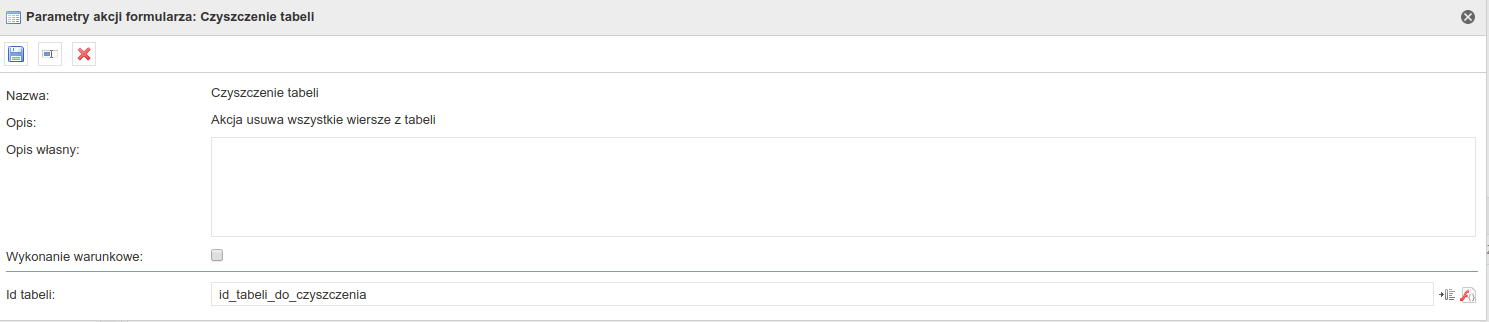
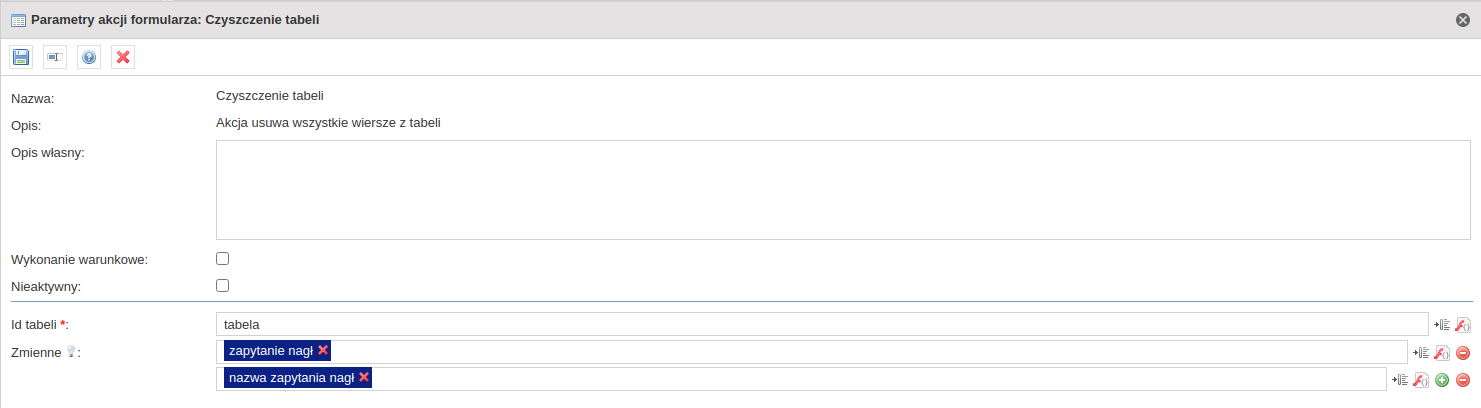
Przykładowa konfiguracja
Konfiguracja na tabeli
Image Modified
Konfiguracja na przycisku
Image Modified
Konfiguracja na formularzu
Image Added
Panel
title
Change log
1.0.2
Dodanie komponentu
1.0.20
...
Dodanie możliwości umieszczenia komponentu pod przyciskiem
The action clears all the rows from the table. The moment of triggering the action depends on the location of the action on the task form - see section "Action call-up"
Panel
title
Action call-up
Info
Leaving an empty conditional field is equal to setting it to "true".
Action location
Conditional execution parameter action
Action call-up condition
Table (from 1.0.20) Variable
Call-up action
The "Conditional execution" parameter will return "true"
Button
Call-up action
Pressing the button
Form
Call-up action
The "Conditional execution" parameter will return "true"
Changing the value of a variable
Panel
title
Configuration parameters
Parameter name
From version
Description
Paremeter type
Default value
Field type
Comments and restrictions
Table Id*
1.0.20
Id of the table to be cleared (parameter hidden when action is placed on the table and table button).
Text
Editable field
Variables*
1.0.84
Variable that invokes the action after editing.
Variable array
Editable field
The parameter appears only when an action is placed on the form.
Parameter*- mandatory field
Panel
title
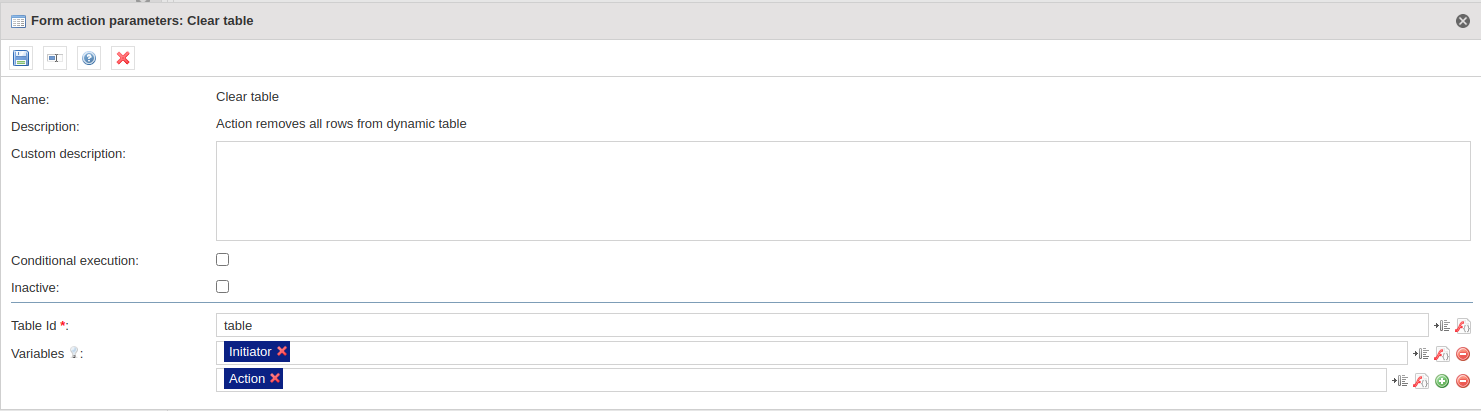
Configuration example
Table configuration
Image Added
Button configuration
Image Added
Form configuration
Image Added
Panel
title
Change log
1.0.2
Adding a component
1.0.20
Addition of the possibility of placing the component under the button
1.0.43
Rename to „clear table”
1.0.84
Adding possibility to place action on the table button, on a form and the variable.
1.0.139
Adding possibility to place action on the acceptance button.