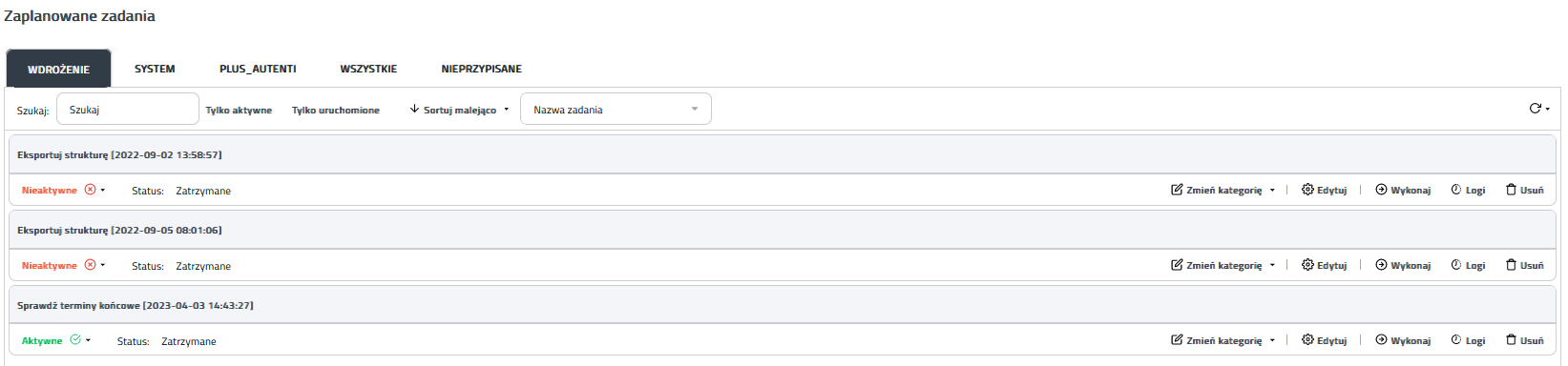
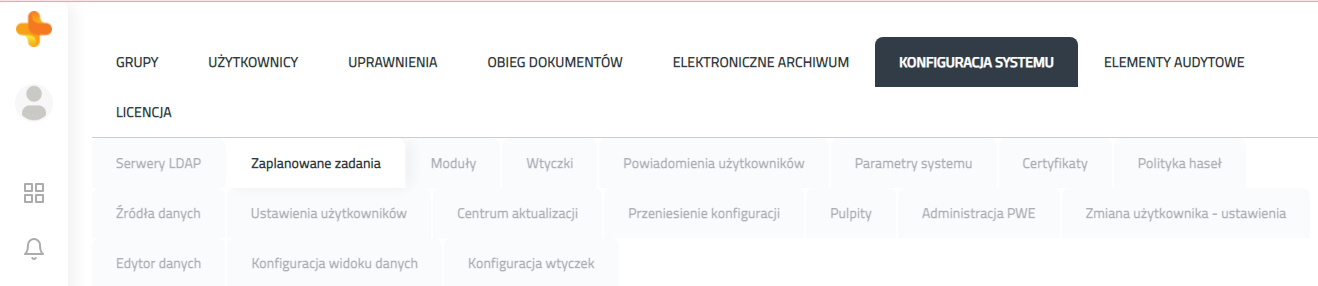
1. Scheduled tasks definitionScheduled tasks are applications that execute at a user-specified time. In a planned task you specify the frequency of its execution (eg. every day, every month). You can also make them immediately, once. Scheduled tasks are not directly related to any process - you configure them from the PlusWorkflow system level. 2. Scheduled taks addingScheduled tasks are added from the PlusWorkflow system level. To do this, you have to go through the Administration tabs-> System configuration-> Scheduled tasks
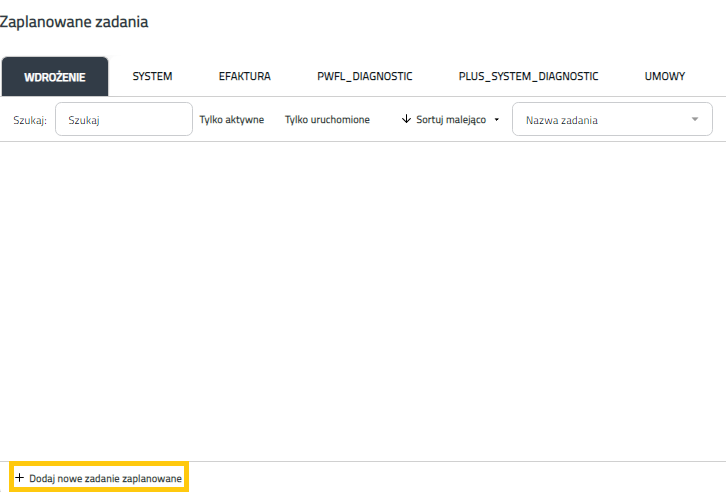
You click in Add new scheduled task buton.
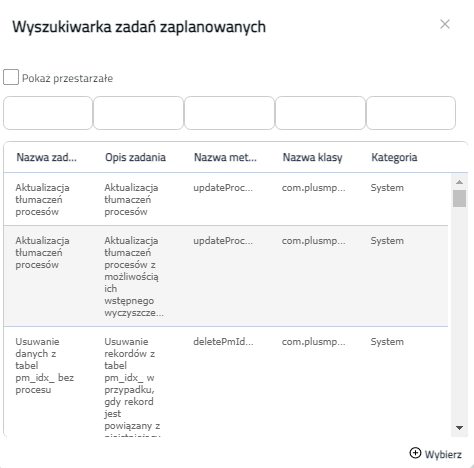
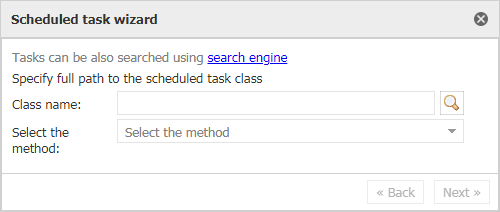
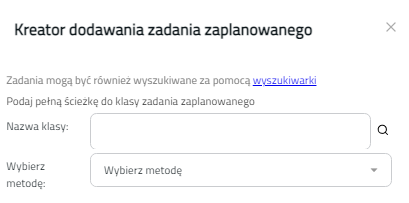
Then in the creator you use with search engine.
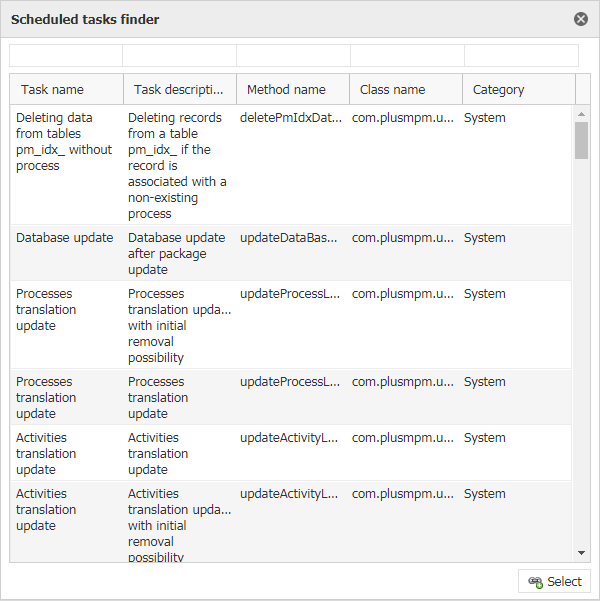
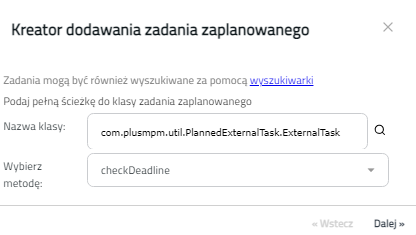
And you choose interesting scheduled task.
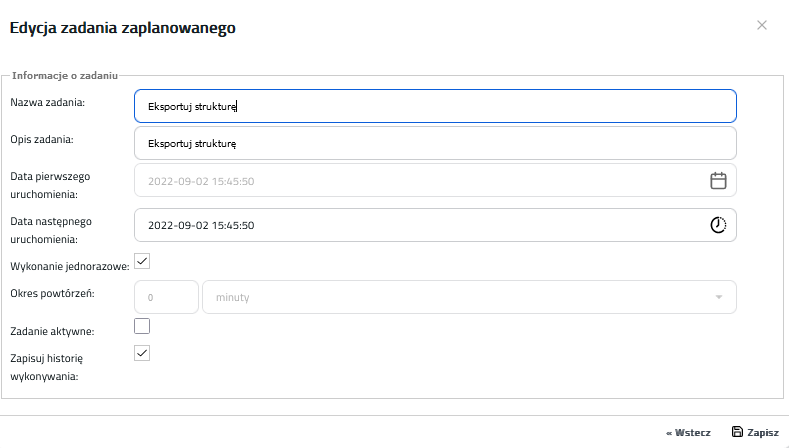
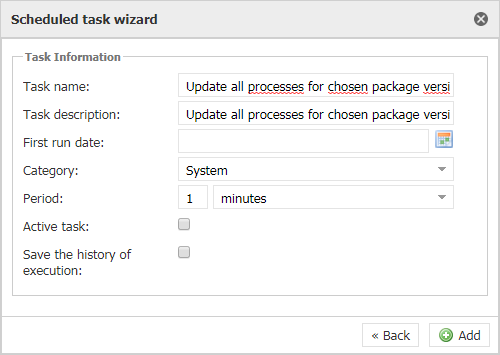
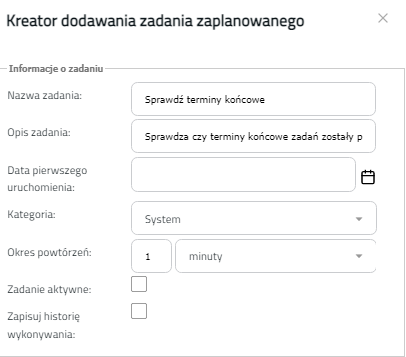
After selecting the task you have to configure it
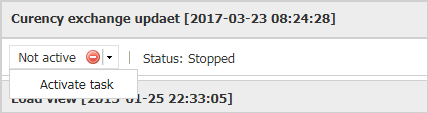
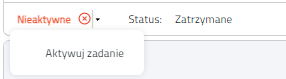
3. Scheduled task runningIn order to run a scheduled task you have two options:
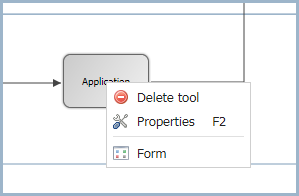
To check the configuration of a scheduled task, click the arrow: 4. Scheduled task editingTo edit an automatic task you select the appropriate field on the form map and right-click on the properties (or double-click them)
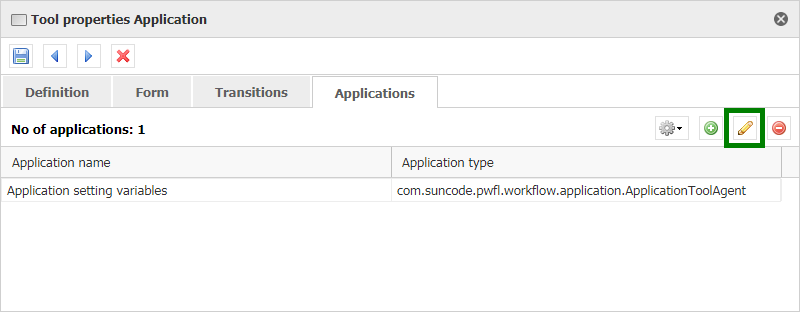
Then you go to the Applications tab and select the interesting element from the list, then press the pencil icon
|
1. Definicja zadania zaplanowanegoZadania zaplanowane to aplikacje wykonywujące się w określonym przez użytkownika czasie. W zadaniu zaplanowanym określana jest częstotliwość jego wykonywania (np. codziennie, co miesiąc). Można także wykonać je natychmiast, jednorazowo. Zadania zaplanowane nie są bezpośrednio związane z żadnym procesem - konfiguruje się je z poziomu systemu PlusWorkflow. 2. Dodawanie zadania zaplanowanegoZadania zaplanowane dodawane są z poziomu systemu PlusWorkflow. W tym celu przejdź do: Administracja → Konfiguracja systemu → Zadania zaplanowane
Kliknij w przycisk Dodaj nowe zadanie zaplanowane
Następnie w kreatorze wyszukaj zadania zaplanowane
Wybierz zadanie zaplanowane.
Po wyborze zadania skonfiguruj je.
3. Uruchamianie zadania zaplanowanegoZadanie zaplanowane może być uruchomione na dwa sposoby:
Aby sprawdzić konfigurację zadania zaplanowanego kliknij strzałkę
4. Edycja zadania zaplanowanegoPrzejdź do Administracja → Konfiguracja systemu → Zadania zaplanowane Aby edytować zadanie automatyczne wybierz odpowienie zadanie z listy.
Kliknij Edytuj obok zadania do edycji. Wprowadź zmiany i kliknij Zapisz.
|







 :
: